

The Golden Rules
Keep secrets out of the site
Only publishable keys belong in a static site — never secret keys.
Least privilege
Only show and store the data you actually need.
Protect the right pages
Put account and dashboard pages behind a login.
Let Kleap validate
Forms and saved data are validated server-side for you.
Keeping secrets safe
Your published site is static, so anything inside it is public. That changes the rules for secrets compared to a traditional server app.What must stay out of your site
- Secret API keys (
sk_...) - Passwords and private tokens
- Database credentials
- Any other value you wouldn’t post publicly
Protecting user data
If your app has logins or saves data, turn on the Kleap Database — a managed database with built-in user accounts. You don’t connect or manage an outside database.Each user only sees their own data
Per-user data isolation is your primary defense: each signed-in user can only see and change their own data, even though everyone shares one database. When you add data features, ask the AI to confirm the data is scoped to the current user.Built-in accounts
Kleap Database ships with email + password accounts and the sign-up / log-in UI. Passwords are hashed and sessions are handled securely — you don’t build any of it. To restrict who can see a page, put it behind a login:Input validation
You don’t write server code on Kleap, so validation of saved data and form submissions is handled by Kleap on the server. On the page itself, still keep inputs sensible for a good experience:- Mark required fields as required
- Keep messages and text fields to reasonable lengths
- Give clear error messages that don’t leak sensitive details
Forms
Any contact or lead form you add is processed server-side by Kleap. Every submission is validated, sanitized, and rate-limited automatically, then delivered to your dashboard. There are no keys to manage and spam protection is built in — nothing to set up.Preventing common attacks
XSS (Cross-Site Scripting)
Content you display is escaped automatically, so ordinary text is safe. The risk comes from injecting raw, unescaped HTML from an untrusted source — avoid that pattern, and Kleap’s pre-build checks will flag it if it slips in.Data leaks between users
The way one user ends up seeing another user’s data is missing per-user scoping. Per-user data isolation prevents this — confirm each data feature limits users to their own data.Transport security
All Kleap sites are served over HTTPS/TLS automatically, including custom domains, so traffic between your visitors and your site is encrypted with no setup.File uploads
If your app accepts uploads through a Kleap form, submissions are handled server-side with validation and rate limiting built in. Keep the on-page experience tidy by asking for only the file types and sizes you actually need.Security Checklist
Before launching: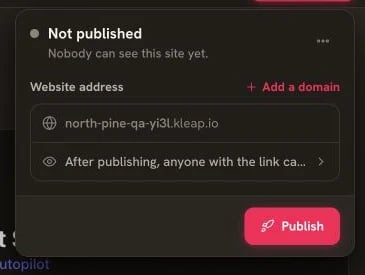
Run the security checklist before opening the Publish panel
- No secret keys, passwords, or private tokens anywhere in the site (only publishable keys)
- No secrets pasted into prompts
- If you store data, each signed-in user can only access their own data
- Private pages (dashboards, account areas) are behind a login
- Error messages don’t leak sensitive info
- HTTPS enabled (automatic with Kleap)
Security Review
Ask AI to review your app:Security Features
Built-in security features in Kleap