

The Basics
A prompt is simply a message describing what you want to build or change. The better your prompt, the better the result.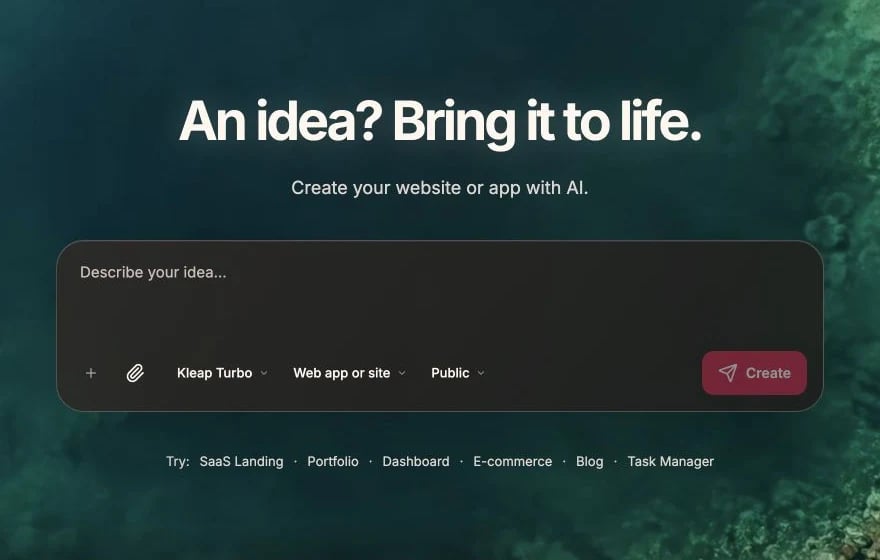
Write the first prompt in Describe your idea, then click Create
Good Prompt Characteristics
Clear
State exactly what you want, not what you don’t want
Specific
Include details about styling, behavior, and placement
Contextual
Reference existing elements or pages when relevant
Focused
One task per prompt for best results
Prompt Examples
Creating Components
Styling Changes
Adding Features
Prompt Structure
A well-structured prompt typically includes:1. Action
What you want to do (create, add, change, fix, remove)2. Subject
What element or feature you’re targeting3. Details
Specific requirements, styling, or behaviorExample
Using Element Selection
Click on elements in the preview to give the AI context:- Click the element you want to modify
- Type your change request
- AI knows exactly what you’re referring to
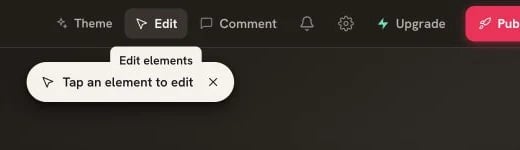
Click Edit before selecting the element you want to change
Iteration
Building is iterative. Start simple and refine:1
Start with structure
“Create a landing page with a hero section, features, and footer”
2
Add details
“Add three feature cards with icons to the features section”
3
Refine styling
“Make the hero background a gradient and increase the heading size”
4
Add functionality
“Make the email signup form save to the database”
When Things Go Wrong
If the AI doesn’t get it right:- Clarify - Rephrase with more detail
- Correct - “That’s not quite right, I wanted…”
- Undo - Use version history if needed
- Break down - Split complex requests into steps
Credit Usage
Each prompt uses credits based on:- Length of your message
- Complexity of the response
- Amount of code generated
Next Steps
Best Practices
Advanced techniques for better results
Debugging
How to fix errors and troubleshoot