

Planning Your App
Start with a Clear Vision
Before opening Kleap:- Define your goal - What problem does this app solve?
- List core features - What must it do? (Start with 3-5)
- Sketch the flow - How will users navigate?
- Identify data - What information needs storing?
Choose the Right Template
Templates give you a head start:- SaaS Template - User auth, dashboard, billing
- Portfolio - Personal sites, portfolios
- Landing Page - Marketing, product launches
- E-commerce - Product sales, checkout
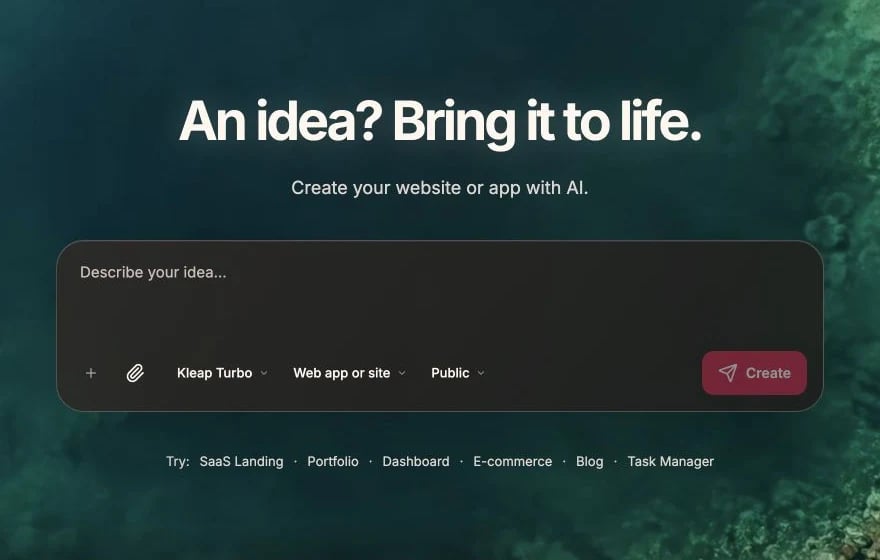
Start with a focused description and the format that fits your product
Building Incrementally
Small Steps Win
Do this
Build one feature at a time, test it, then add the next
Not this
Try to build everything at once in one long prompt
Recommended Build Order
1
Layout
Header, footer, navigation structure
2
Pages
Create main pages with placeholder content
3
Components
Build reusable components (cards, forms, etc.)
4
Styling
Refine colors, typography, spacing
5
Content
Add real content; enable Kleap Database if you need saved data or logins
6
Functionality
Add interactions, forms, features
7
Polish
Responsive fixes, loading states, error handling
Code Organization
Let AI Follow Conventions
Kleap uses a standard Astro project structure:Component Reusability
Ask for reusable components:Styling Guidelines
Consistent Design
Establish design tokens early:Mobile First
Always consider mobile:Database Best Practices
Plan Your Schema
Before asking AI to create tables:- List what data you need
- Define relationships
- Consider what queries you’ll run
Enable Security
Always ask for per-user data access:Performance Tips
Optimize Images
Kleap optimizes images for you — just use normal<img> tags or Astro’s
asset handling. There’s no next/image component.
Keep It Static
Astro renders static HTML by default. Only add interactivity where you actually need it, using React islands.Add Loading States
Testing Your App
Test as You Build
After each change:- Check the preview
- Test on mobile view
- Click through the flow
- Look for errors in console

Use the preview toolbar to refresh, open, edit, and review the project
Test Edge Cases
- Empty states (no data)
- Error states (failed requests)
- Loading states
- Long content
- Many items
Before Publishing
Checklist
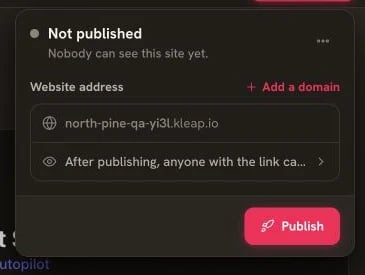
Open Publish only after completing the launch checklist
- All pages load without errors
- Forms work and validate
- Mobile layout looks good
- Links and buttons work
- Images load properly
- Auth flow works (if applicable)
- Database queries work
- Environment variables set
Configuration & Secrets
Kleap sites are static, so any value baked into the site is public. Use Astro build-time config for non-secret values only:Common Mistakes to Avoid
Building too much at once
Building too much at once
Break large features into smaller prompts. Test after each change.
Ignoring mobile
Ignoring mobile
Always test mobile view. Many users browse on phones.
Hardcoding data
Hardcoding data
Use database or props instead of hardcoded content for dynamic data.
Skipping error handling
Skipping error handling
Always handle what happens when things fail (no data, API errors).
Not using templates
Not using templates
Templates save hours of work. Start with one when possible.
Getting Help
When stuck:- Check the docs - Answer might be here
- Ask AI to explain - “Why isn’t this working?”
- Use version history - Roll back if needed
- Join Discord - Community can help
Troubleshooting
Solutions to common problems