

Add video content to your Kleap app for tutorials, demos, and media-rich experiences.

Embedding YouTube

The easiest way to add video:
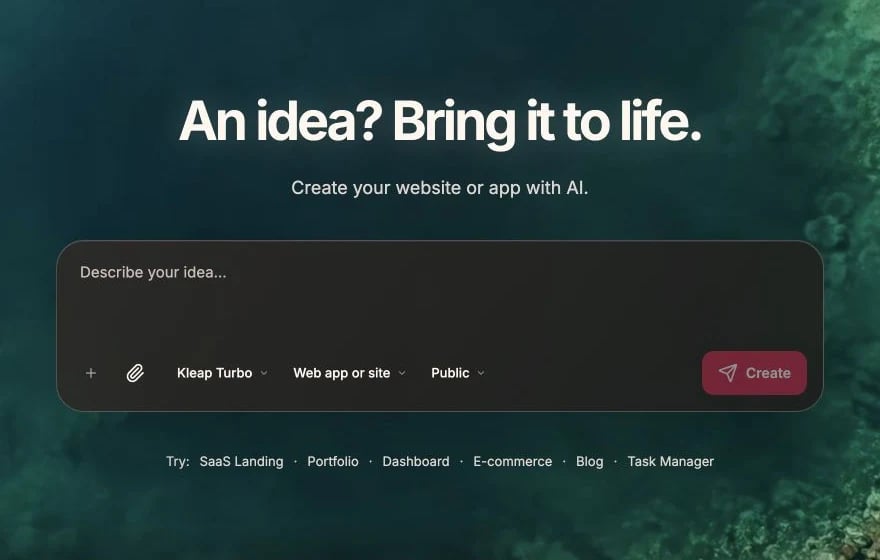
"Embed this YouTube video in the hero section:
https://youtube.com/watch?v=xxxxx"

Implementation

<iframe
  width="560"
  height="315"
  src="https://www.youtube.com/embed/VIDEO_ID"
  title="Video title"
  allow="accelerometer; autoplay; clipboard-write; encrypted-media; gyroscope; picture-in-picture"
  allowFullScreen
  className="rounded-lg"
/>

Responsive YouTube

<div className="aspect-video">
  <iframe
    src="https://www.youtube.com/embed/VIDEO_ID"
    className="w-full h-full rounded-lg"
    allowFullScreen
  />
</div>

Embedding Vimeo

Similar to YouTube:
"Embed this Vimeo video: https://vimeo.com/xxxxx"
<iframe
  src="https://player.vimeo.com/video/VIDEO_ID"
  className="aspect-video w-full rounded-lg"
  allowFullScreen
/>

Self-Hosted Videos

HTML5 Video

For videos in your public folder:
<video
  src="/demo.mp4"
  controls
  className="w-full rounded-lg"
>
  Your browser doesn't support video.
</video>

With Poster

Show an image before playing:
<video
  src="/demo.mp4"
  poster="/video-thumbnail.jpg"
  controls
  className="w-full rounded-lg"
/>

Autoplay (Muted)

Autoplay requires muted for most browsers:
<video
  src="/background.mp4"
  autoPlay
  muted
  loop
  playsInline
  className="w-full"
/>

Video Backgrounds

Hero with Video Background

"Create a hero section with a video background,
dark overlay, and centered text"
<div className="relative h-screen">
  <video
    autoPlay
    muted
    loop
    playsInline
    className="absolute inset-0 w-full h-full object-cover"
  >
    <source src="/hero-bg.mp4" type="video/mp4" />
  </video>
  <div className="absolute inset-0 bg-black/50" />
  <div className="relative z-10 flex items-center justify-center h-full">
    <h1 className="text-white text-5xl">Welcome</h1>
  </div>
</div>

Video from Supabase Storage

Store videos in Supabase:
const videoUrl = supabase.storage
  .from('videos')
  .getPublicUrl('demo.mp4');

<video src={videoUrl} controls />

Upload Limits

Consider Supabase storage limits for video:
PlanStorageFile Size
Free1 GB50 MB
Pro100 GB5 GB
For larger videos, consider external hosting.

Video Optimization

File Formats

FormatSupportBest For
MP4UniversalGeneral use
WebMModern browsersBetter compression

Provide Multiple Sources

<video controls>
  <source src="/video.webm" type="video/webm" />
  <source src="/video.mp4" type="video/mp4" />
</video>

Compression Tips

  • Resolution: 1080p max for web
  • Bitrate: 5-8 Mbps for 1080p
  • Duration: Keep short for fast loading
  • Tools: HandBrake, FFmpeg for compression

Video Players

Custom Player UI

"Create a custom video player with play/pause button,
progress bar, and fullscreen toggle"

Third-Party Players

For advanced features:
  • Video.js - Full-featured player
  • Plyr - Simple, accessible
  • React Player - Supports multiple sources
"Add react-player to handle both YouTube and self-hosted videos"

Lazy Loading Videos

Don’t load videos until needed:
const [isVisible, setIsVisible] = useState(false);

{isVisible ? (
  <iframe src={videoUrl} />
) : (
  <button onClick={() => setIsVisible(true)}>
    <Image src="/thumbnail.jpg" alt="Play video" />
    <PlayIcon />
  </button>
)}

Video SEO

Schema Markup

"Add VideoObject schema markup for the demo video"
<script type="application/ld+json">
{JSON.stringify({
  "@context": "https://schema.org",
  "@type": "VideoObject",
  "name": "Product Demo",
  "description": "A demo of our product",
  "thumbnailUrl": "/thumbnail.jpg",
  "uploadDate": "2024-01-15",
  "duration": "PT2M30S"
})}
</script>

Accessibility

Captions

Always provide captions:
<video controls>
  <source src="/video.mp4" type="video/mp4" />
  <track
    kind="captions"
    src="/captions.vtt"
    srcLang="en"
    label="English"
    default
  />
</video>

Transcripts

Provide text alternatives:
"Add a transcript below the video that users can expand"

Common Patterns

Product Demo Section

"Create a product demo section with a video on the left
and feature highlights on the right"

Video Testimonials

"Add a video testimonials carousel with thumbnail previews"
"Create a video tutorial gallery with categories
and search functionality"

Troubleshooting

  • Check file path is correct
  • Ensure video format is supported
  • Check browser console for errors
  • Verify video isn’t blocked by CORS
  • Must be muted for autoplay
  • Add playsInline for mobile
  • Some browsers block all autoplay
  • Compress the video file
  • Use appropriate resolution
  • Consider streaming services for long videos
  • Add poster image while loading

Using Images

Image best practices