

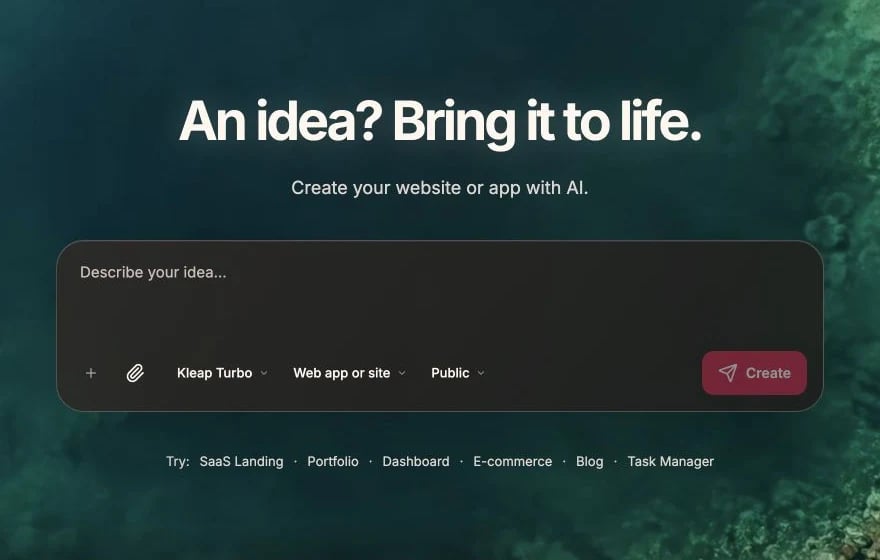
Master these techniques to get the most out of Kleap’s AI.

Plan Before Prompting

Before writing, think about:
  1. What do you want to build?
  2. How should it look and behave?
  3. Where should it go in your app?
  4. What existing elements does it interact with?

Break Down Complex Tasks

Large requests often fail. Instead, break them into steps:

❌ Too Much at Once

Build a complete e-commerce site with product listings, shopping cart,
checkout, user accounts, order history, and admin dashboard

✅ Step by Step

Step 1: "Create a product listing page with a grid of product cards
showing image, name, price, and 'Add to Cart' button"

Step 2: "Add a shopping cart sidebar that shows added items and
calculates the total"

Step 3: "Create a checkout page with shipping address form"

Step 4: "Add user authentication for checkout"

Step 5: "Create an order confirmation page"

Be Specific About Design

Vague (Unpredictable Results)

"Make a nice looking hero section"

Specific (Consistent Results)

"Create a hero section with:
- Centered text layout
- Large heading (4xl) with gradient text from blue to purple
- Subheading in gray-600
- Two buttons: primary 'Get Started' and secondary 'Learn More'
- Background with subtle dots pattern"

Reference Existing Elements

Instead of describing from scratch, reference what exists:
"Copy the card style from the features section and use it for the
testimonials section"
"Make this button match the primary button in the header"
"Use the same color scheme as the pricing cards"

Use Technical Terms When You Know Them

If you know React/CSS/Tailwind terms, use them:
"Add a flex container with justify-between and items-center"
"Make this a server component that fetches data from Supabase"
"Add a useState hook to track the selected tab"
But if you don’t know the terms, plain English works fine:
"Put these items side by side with space between them"

Provide Examples

When you have something specific in mind:
"Create a pricing table similar to Stripe's pricing page, with
three tiers and a toggle for monthly/annual billing"
"Make the hover effect on these cards like Apple's product cards -
subtle lift and shadow"

State Preferences Upfront

If you have styling preferences, mention them early:
"I prefer rounded corners, subtle shadows, and plenty of whitespace.
Create a dashboard layout with these preferences in mind."

Handle Edge Cases

Think about what happens in different scenarios:
"Create a product list that:
- Shows a loading spinner while fetching
- Shows 'No products found' if the list is empty
- Shows an error message if the fetch fails"

Iterate, Don’t Start Over

Build on what you have:

❌ Starting Fresh

"That's wrong, make a completely different hero section"

✅ Iterating

"The hero is good but:
- Make the heading smaller
- Change the button color to blue
- Add more padding on mobile"

Common Patterns

Adding Pages

"Create a new page at /about with:
- Company story section
- Team member cards
- Office locations map"

Database Integration

"Make this form save to a Supabase 'contacts' table with
fields: name, email, message, created_at"

Authentication

"Add authentication:
- Login page at /login
- Signup page at /signup
- Protect the /dashboard route
- Add user menu in header when logged in"

Responsive Design

"Make this layout:
- Single column on mobile
- Two columns on tablet
- Three columns on desktop"

Prompting Patterns

The “Create X with Y” Pattern

"Create [component] with [features/characteristics]"

Example: "Create a testimonial carousel with auto-play,
dots navigation, and quote cards"

The “When X, Do Y” Pattern

"When [trigger], [action]"

Example: "When the user scrolls down 100px, make the
header background solid instead of transparent"

The “Like X but Y” Pattern

"Make it like [reference] but [changes]"

Example: "Like the existing contact form but with
additional phone number and company fields"

Quality Checklist

Before sending a complex prompt, check:
  • Is the goal clear?
  • Are all requirements specified?
  • Did I mention any specific styling?
  • Did I consider mobile/desktop?
  • Did I reference existing elements if relevant?
  • Is this small enough to succeed in one go?

Debugging Prompts

What to do when things don’t work as expected