

Preview Issues
Preview Not Loading
Symptoms: White screen, infinite loading, or error message Solutions:- Wait a moment - The preview rebuilds after each change
- Send a message - Any message triggers a fresh rebuild
- Check for errors - Look at the error message in chat
- Refresh - Click the refresh button in preview panel
- Check internet - Ensure stable connection

Use Refresh in the preview toolbar when the build looks stale
Preview Stopped
Symptom: Preview shows an error or won’t refresh Cause: A build may still be running or may have hit an error Solution: Send any message or click refresh to rebuild the previewChanges Not Showing
Symptoms: Made changes but preview looks the same Solutions:- Wait for the rebuild to finish (a few seconds)
- Click refresh in preview
- Hard refresh browser (Cmd/Ctrl + Shift + R)
- Check for errors that might prevent rendering
Build Errors
Syntax Errors
Symptom: Error mentioning unexpected token, syntax, or parsing Solution:Missing Dependencies
Symptom: “Cannot find module” or “Module not found” Solution:Type Errors
Symptom: TypeScript errors about types Solution:Database Issues
Connection Failed
Symptoms: “Failed to connect to database” Solutions: Kleap Database is fully managed by Kleap — there’s nothing to provision or pause. If data calls fail:- Confirm Kleap Database is enabled for this app (it’s opt-in)
- Re-publish so the latest code is live
- Check the error message in chat for the failing query
Queries Return Empty
Symptom: Data exists but queries return empty array Causes:- Per-user data rules blocking access (the row belongs to another user)
- Wrong table name
- Query filters too restrictive
Auth Not Working
Symptoms: Can’t sign up, login fails, session lost Solutions: Kleap Database provides built-in email/password accounts — there are no external auth dashboards or redirect URLs to configure.- Confirm Kleap Database (with accounts) is enabled for the app
- Check for errors in the browser console
- Describe the exact failure to the AI so it can fix the flow
Deployment Issues
Build Failed
Symptom: Publish fails with build error Solutions:- Check the build log for specific error
- Share error message with AI
- Common fixes: missing dependencies, type errors
Environment Variables Missing
Symptom: Works in preview but fails in production Cause: Environment variables not set for production Solution:- Go to Settings > Environment
- Add all required variables
- Set them for Production scope
- Redeploy
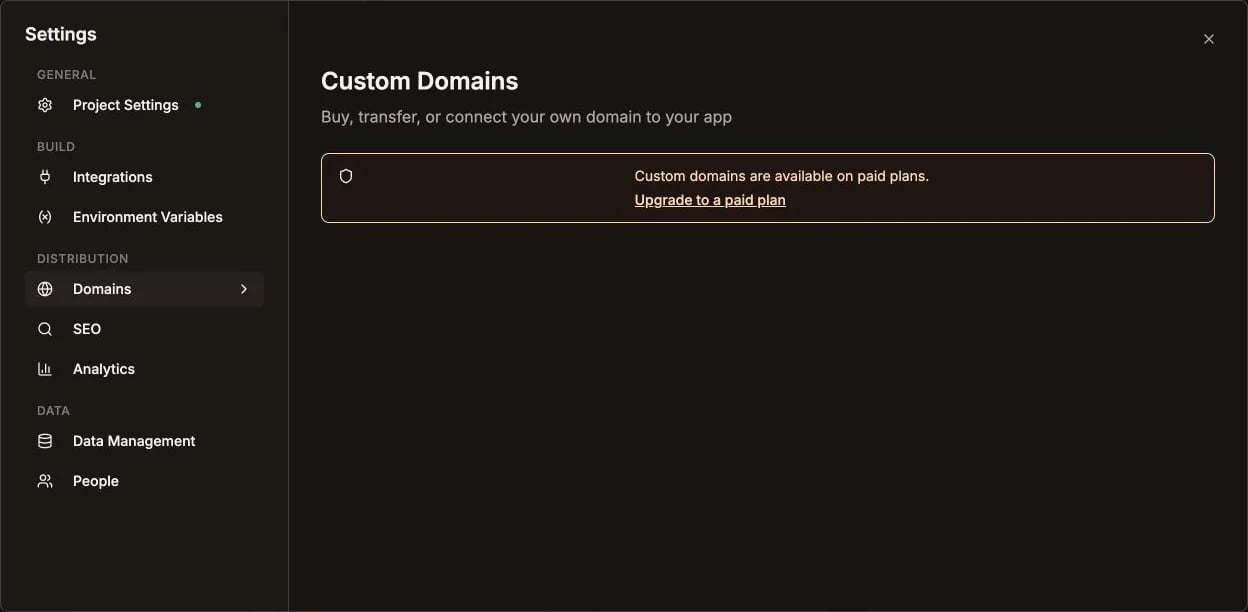
Environment Variables is under Build in Project settings
Domain Not Working
Symptom: Custom domain shows error or old site Solutions:- Verify DNS records are correct
- Wait for propagation (up to 48 hours)
- Check SSL certificate status
- Ensure domain is verified in settings
Visual Issues
Layout Broken
Symptom: Elements overlapping, wrong positioning Solution:Not Responsive
Symptom: Looks bad on mobile Solution:Styling Not Applied
Symptom: CSS changes not appearing Solutions:- Check for CSS conflicts
- Verify class names are correct
- Check Tailwind config if using custom values
Performance Issues
Page Loading Slowly
Solutions:- Optimize images
- Add loading states
- Keep components static and only hydrate interactive islands
- Lazy load non-critical content
Too Many Re-renders
Symptom: Page feels sluggish, constant updates Solution:Quick Fixes
When Nothing Works
Roll Back
- Go to version history
- Find a working version
- Restore it
- Try a different approach
Start Fresh
For severe issues:- Create a new app
- Use a template as base
- Re-implement features carefully
- Test after each change
Get Help
- Discord - Community support
- Email - [email protected]
- Docs - Search for specific error
Error Reference
Detailed guide to specific error messages