

What is Capacitor?
Capacitor is a framework that wraps your web app in a native container, allowing it to run as a mobile app on iOS and Android. Benefits:- One codebase - Your existing Kleap app
- Native features - Camera, push notifications, etc.
- App store distribution - Publish to App Store and Play Store
Requirements
To build mobile apps, you’ll need:- macOS - Required for iOS builds
- Xcode - For iOS (free from App Store)
- Android Studio - For Android
- Your exported code - From GitHub or ZIP download
Getting Started
1. Export Your App
First, get your code locally:- Open Settings > Project settings > Integrations
- Choose GitHub and click Connect
- Push to GitHub
- Clone the repository
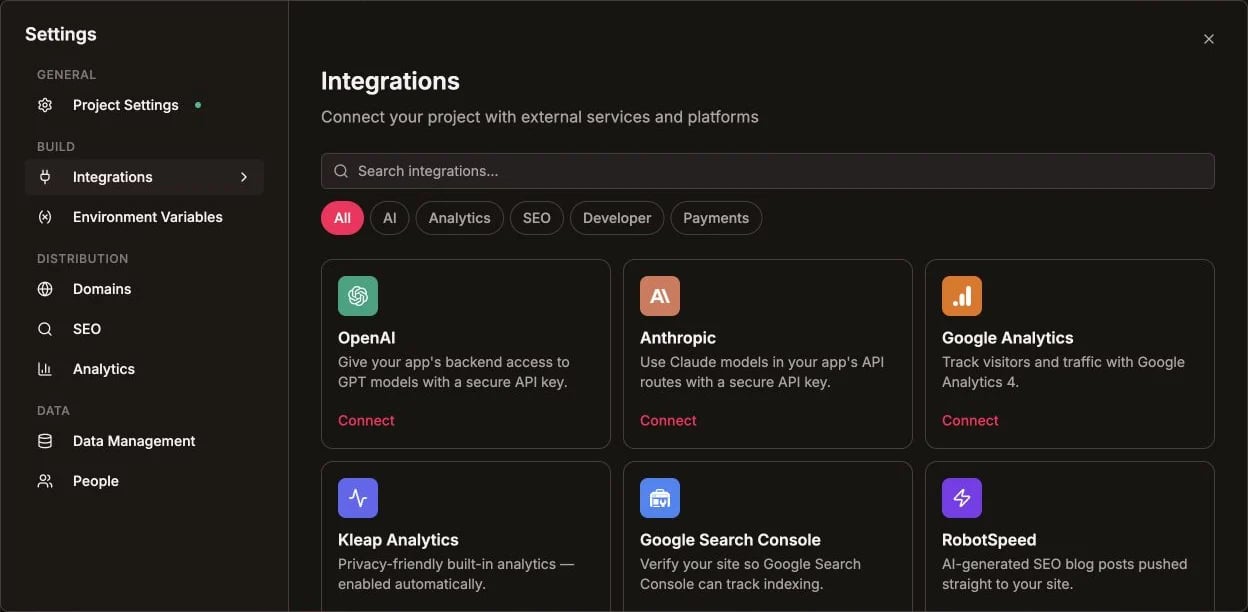
Connect GitHub from Kleap's Integrations catalog before exporting
2. Install Capacitor
- App name: Your app’s name
- App ID: com.yourcompany.yourapp
3. Build Your Web App
4. Add Platforms
5. Sync Changes
After any code changes:iOS Development
Open in Xcode
Configure
- Select your team in Xcode
- Set bundle identifier
- Configure app icons
Run on Simulator
- Select simulator in Xcode
- Click Run (▶️)
Run on Device
- Connect your iPhone
- Trust the developer certificate
- Select device and Run
Android Development
Open in Android Studio
Configure
- Wait for Gradle sync
- Set application ID in
build.gradle - Configure app icons
Run on Emulator
- Create virtual device in AVD Manager
- Click Run (▶️)
Run on Device
- Enable Developer Mode on Android phone
- Enable USB debugging
- Connect via USB
- Select device and Run
Native Features
Camera
Push Notifications
Geolocation
Storage
App Store Submission
iOS App Store
- Apple Developer Account - $99/year
- Build Archive - Product → Archive in Xcode
- App Store Connect - Create app listing
- Upload - Via Xcode or Transporter
- Submit for Review - Usually 24-48 hours
Google Play Store
- Google Play Developer Account - $25 one-time
- Build APK/Bundle - Build → Generate Signed Bundle
- Play Console - Create app listing
- Upload - Upload AAB file
- Submit for Review - Usually few hours
Configuration Tips
Splash Screen
Status Bar
Safe Areas
Handle notches and home indicators:Common Issues
White screen on launch
White screen on launch
- Check console for errors
- Verify build completed successfully
- Check
capacitor.config.tswebDir matches output
Native features not working
Native features not working
- Run
npx cap syncafter changes - Check permissions in platform config
- Verify plugin is installed
App rejected from store
App rejected from store
- Read rejection reason carefully
- Common: missing privacy policy, incomplete metadata
- iOS: ensure proper permissions explanations
PWA Alternative
If native apps are too complex, consider a PWA:Resources
Self Hosting
Deploy your web app to custom infrastructure