

Kleap builds Astro websites (Astro 5, Tailwind CSS, React islands for
interactivity, TypeScript). You don’t hand-migrate code — you describe or
paste your existing site and Kleap rebuilds it as a fast, static Astro site.
How Migration Works
There’s no import tool that lifts another framework’s code over verbatim. Instead:- Describe your existing site to the AI — its pages, sections, and style
- Or paste content/screenshots so the AI can recreate the look and copy
- Kleap rebuilds it as an Astro site you can then refine with chat
- Publish — click Publish when you’re ready to deploy to
https://your-app.kleap.io
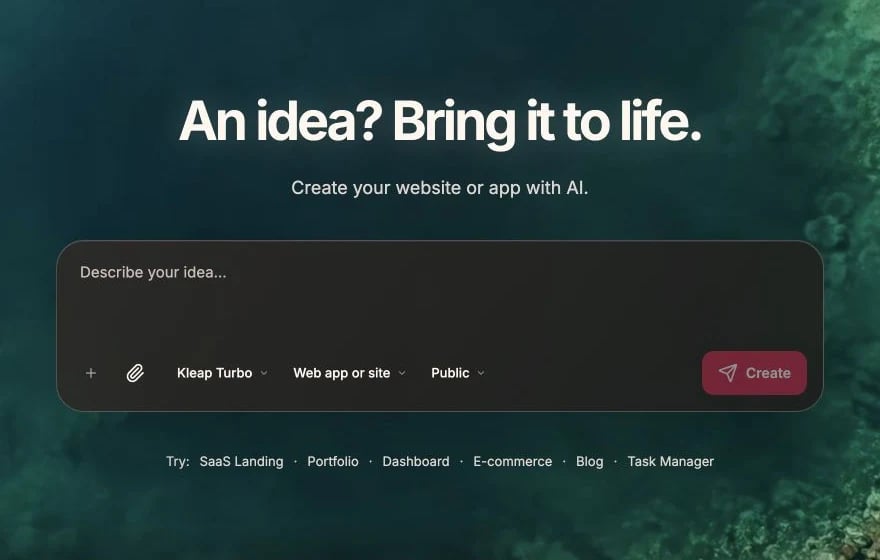
Recreate the first page from a clear English prompt
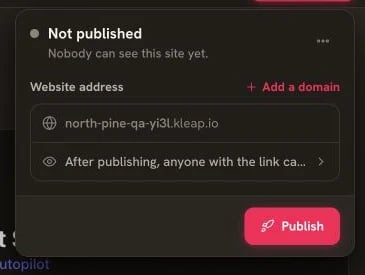
When the preview is ready, open Publish and deploy it
From Lovable
Lovable and Kleap are similar in concept. Here’s what to know:What’s the Same
- AI-powered chat interface
- Real-time preview
- Built-in data/accounts (no external database to wire up)
- One-click publishing when you decide the site is ready
- Tailwind CSS styling
Key Differences
Migration Steps
- Note your app’s pages and features (export from Lovable if you can)
- Create a new Kleap app
- Describe or paste each page so the AI recreates it in Astro
- Add data or accounts with Kleap Database only if you need them
- Publish — click Publish to deploy to
your-app.kleap.io
Lovable → Kleap Concepts
From Bolt.new
Bolt and Kleap both use AI for development.Key Differences
Migration Steps
- Note your site structure — pages, sections, features
- Create a Kleap app — start fresh or from a template
- Describe what to build — tell the AI each page and section
- Add data or forms if you need them (Kleap Database / KleapForm)
- Publish — click Publish when your site is ready
Reusing Content
If you have content or a component you like from Bolt, describe it or paste it:From v0 (Vercel)
v0 generates UI components. Kleap builds full websites.Differences
Using v0 Designs in Kleap
If you have a v0 component design you like, describe it or paste the markup so the AI can recreate it as an Astro component or React island:From an Existing Website
Already have a live site (WordPress, Webflow, Squarespace, a custom build)?How to Migrate
- Create a new Kleap app
- Paste your current site’s URL, content, or screenshots
- Ask the AI to recreate it page by page as an Astro site
- Refine colors, copy, and layout with follow-up messages
Example
Data, Accounts & Forms
You do not connect an external database. Kleap provides these when you need them:- Kleap Database — a built-in, managed database with built-in email/password user accounts, where each user only sees their own data. It’s opt-in and added on demand, so simple sites stay purely static.
- KleapForm — built-in forms. Submissions land in your dashboard’s Data panel and can trigger email notifications, no backend to set up.
- Payments — connect Stripe Payment Links or Buy Buttons (publishable key only) for checkout.
Feature Parity Checklist
When migrating, decide which of these your new site needs:- All pages and sections
- Navigation and footer
- Contact / lead forms (KleapForm)
- User accounts (Kleap Database) — only if needed
- Stored data (Kleap Database) — only if needed
- Payment / checkout (Stripe links)
- Custom domain
Tips for Smooth Migration
Rebuild, don't port
Rebuild, don't port
Kleap doesn’t run your old framework’s code. It’s faster to describe what
you have and let the AI recreate it as Astro.
Document what you have
Document what you have
Before migrating, write down all pages, sections, and integrations. Use this
as a checklist.
Migrate incrementally
Migrate incrementally
Don’t try to recreate everything at once. Build the homepage first, then add
pages and sections one at a time.
Keep old site running
Keep old site running
Keep your old site live until the new one is fully tested and your custom
domain is pointed over.
Getting Help
Migration questions? We can help:- Discord - Community support and tips
- Email - [email protected] for complex migrations
Getting Started
Begin building your Kleap app