

Accessing the Code
Open the code view
- Click Settings in the top toolbar
- Choose View code
- Select a file from the file browser
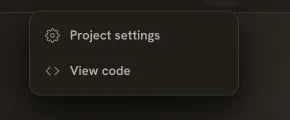
Open Settings, then choose View code
- All project files
- Folder structure
- File types (astro, tsx, css, etc.)
Viewing Files
Click any file to view its contents:- Syntax highlighting
- Line numbers
- Code formatting
File Structure
A typical Kleap app follows Astro conventions:Understanding the Code
Technologies Used
Key Files
src/pages/index.astro- Your homepagesrc/layouts/Base.astro- Root layout (header, footer)src/components/- Your custom componentssrc/styles/global.css- Global styling
Editing Code
When to Edit Directly
- Fixing typos in text
- Minor CSS adjustments
- Understanding how something works
- Debugging issues
How to Edit
- Open the file in the editor
- Make your changes
- Save (Ctrl/Cmd + S)
- Preview updates automatically
Working with AI
The AI can reference specific files:Exporting Code
Push to GitHub
- Go to Settings > Project settings > Integrations
- Choose GitHub and click Connect
- Connect your GitHub account
- Create or connect a repository
- Push your code
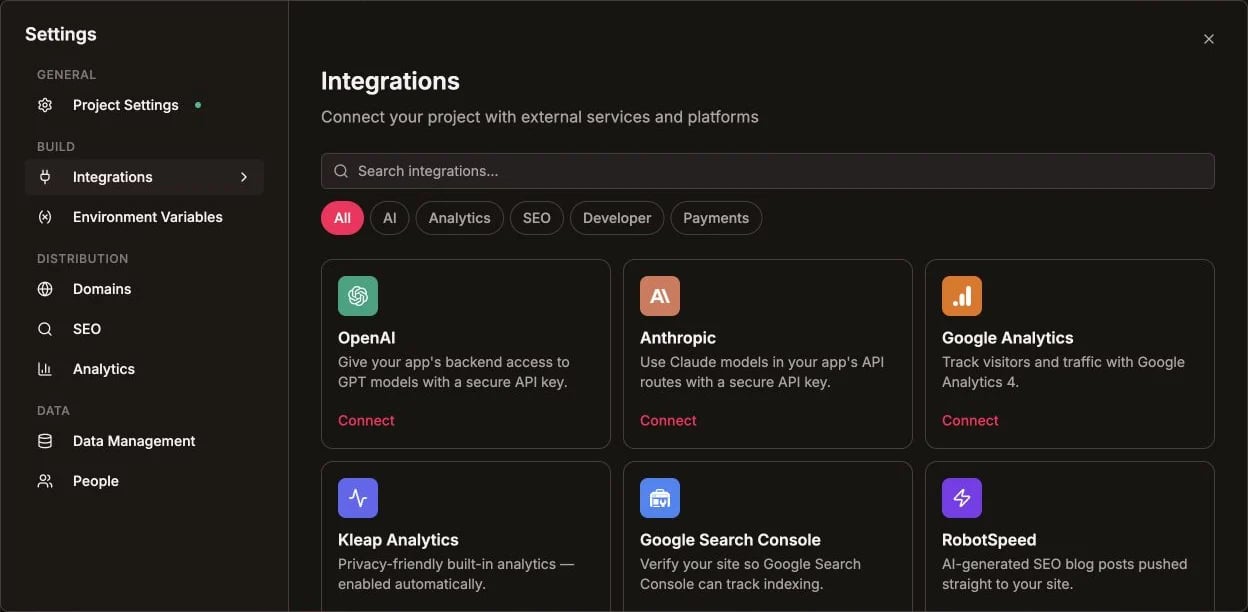
GitHub is available from the Integrations catalog
Download Files
- Go to Settings > Export
- Click Download ZIP
- Get all source files locally
Best Practices
Let AI handle complex changes
Let AI handle complex changes
For anything beyond simple text edits, describe what you want in chat. AI understands the full context.
Use version history
Use version history
If you break something, use version history to roll back.
Learn the patterns
Learn the patterns
Review AI-generated code to learn Astro and React patterns.
Code Quality
AI-generated code follows best practices:- TypeScript for type safety
- Component-based architecture
- Responsive design patterns
- Accessibility standards
- Performance optimization
Export to GitHub
Push your code to version control