

Create a stunning portfolio to showcase your work and attract opportunities.

What We’re Building

A professional portfolio with:
  • Hero section with introduction
  • About section
  • Project showcase gallery
  • Skills/services section
  • Contact form
  • Responsive design

Step 1: Start Fresh or Use Template
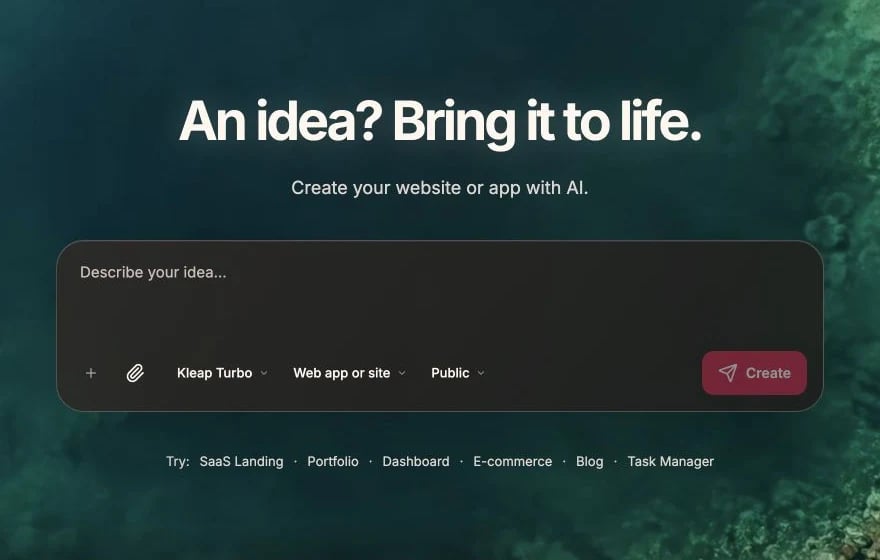
Option A: Start Blank

Create a portfolio website with:
- Clean, minimal design
- Navigation: Home, About, Work, Contact
- Hero section with name, title, and brief intro
- Dark mode toggle

Option B: Use Template

  1. Create new app
  2. Choose a minimal template
  3. Customize for portfolio use

Step 2: Hero Section

Create a hero section with:
- Large heading with my name
- Animated subtitle showing different roles (Developer, Designer, Creator)
- Brief tagline (1-2 sentences)
- Two buttons: "View My Work" and "Contact Me"
- Subtle background pattern or gradient
- Social media links (GitHub, LinkedIn, Twitter)

Styling the Hero

Make the hero more impactful:
- Use a gradient text effect on the name
- Add a subtle entrance animation
- Include a small profile photo or avatar
- Ensure it looks great on mobile

Step 3: About Section

Create an About section with:
- A longer bio (2-3 paragraphs)
- Profile photo on one side, text on the other
- Key highlights/stats (years of experience, projects completed)
- Downloadable resume link

Personal Touch

Add personality to the About section:
- A fun fact or hobby mention
- Casual, friendly tone
- Subtle animation on scroll

Step 4: Project Showcase

Project Grid

Create a projects section with:
- Section heading "Selected Work"
- Grid of project cards (2-3 columns on desktop)
- Each card shows: project image, title, brief description, tech tags
- Hover effect that reveals more details
- Click to open project detail

Project Detail

Create a project detail page/modal with:
- Large project image(s) or gallery
- Project title and full description
- Technologies used (as badges)
- Key features/highlights
- Links: Live Demo, GitHub repo
- Navigation to next/previous project

Sample Projects

Add your actual projects, or use placeholders:
Add 4-6 sample projects:
1. "E-commerce Platform" - React, Node.js, Stripe
2. "Task Management App" - Next.js, Supabase
3. "Portfolio Website" - Next.js, Tailwind
4. "Mobile App" - React Native

Step 5: Skills Section

Create a skills section showing:
- Category groupings (Frontend, Backend, Tools)
- Skill badges or icons with names
- Optional: skill level indicators
- Clean, organized layout

Alternative: Services

If you offer services:
Replace skills with a Services section:
- 3-4 service cards
- Each with icon, title, description
- Clear pricing or "Get Quote" CTA

Step 6: Testimonials (Optional)

Add a testimonials section with:
- Quote cards with client feedback
- Client name and company/role
- Client photo or company logo
- Carousel or grid layout

Step 7: Contact Section

Contact Form

Create a contact section with:
- Section heading "Get In Touch"
- Brief text encouraging contact
- Form with: Name, Email, Message
- Submit button with loading state
- Success message after submission
- Alternative: email link and social links

Form Functionality

Make the contact form functional:
- Validate required fields
- Save submissions to Supabase
- Send notification email when submitted
- Show success/error messages
Create a footer with:
- Copyright notice
- Social media links
- Navigation links
- Back to top button
- Consistent with overall design

Step 9: Polish

Animations

Add subtle animations:
- Fade in sections on scroll
- Smooth hover transitions
- Page transition effects
- Loading animations

Dark Mode

Add dark mode support:
- Toggle button in navigation
- Proper color scheme for dark mode
- Remember user preference

SEO

Add SEO optimization:
- Meta title and description
- Open Graph tags for sharing
- Proper heading structure
- Alt text on all images

Performance

Optimize for speed:
- Use Next.js Image component
- Lazy load project images
- Minimize animations on mobile

Step 10: Deploy

Custom Domain

For a professional portfolio:
  1. Purchase a domain (yourname.com)
  2. Publish to Vercel
  3. Connect custom domain

Final Checklist

  • All links work
  • Mobile responsive
  • Contact form works
  • Images optimized
  • SEO metadata added
  • Dark mode works (if added)

Design Tips

Don’t over-design. Let your work speak for itself.
Show 4-6 best projects rather than everything you’ve ever made.
Include personality. People hire people, not robots.
A slow portfolio reflects poorly. Optimize performance.

Customization Ideas

  • Developer: Emphasize GitHub, code samples, tech stack
  • Designer: Focus on visuals, case studies, process
  • Writer: Highlight writing samples, testimonials
  • Photographer: Large image gallery, minimal text
  • Freelancer: Clear services, pricing, contact

SEO Guide

Optimize your portfolio for search engines