

What We’re Building
A project management SaaS with:- User authentication (signup, login, logout)
- Dashboard with projects overview
- Project creation and management
- Team collaboration
- Subscription billing with Stripe
Prerequisites
- Kleap account
- Stripe account (for payment links)
Step 1: Start with Template
Start with the SaaS template for a head start:- Create new app
- Select SaaS Template
- Name your project
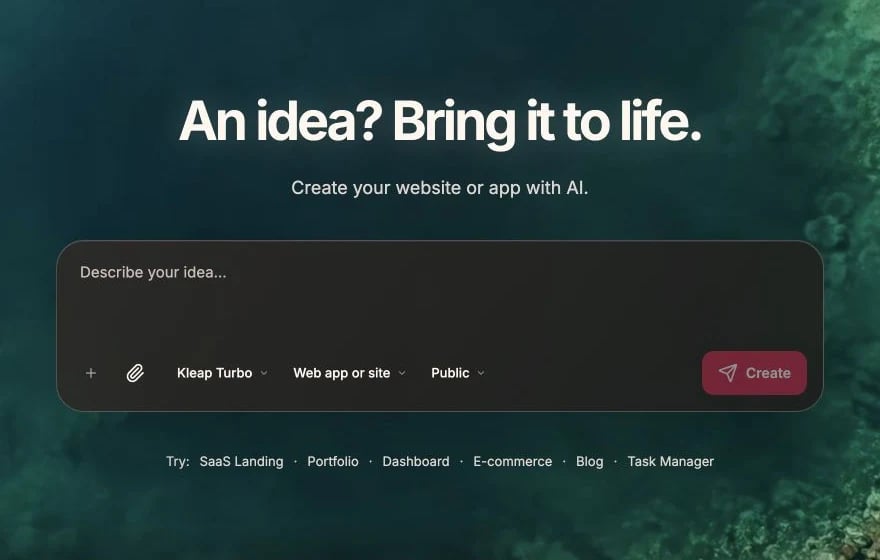
Choose the starting format and describe the SaaS before clicking Create
- Authentication setup
- Dashboard layout
- Basic pages
Step 2: Customize the Landing Page
Step 3: Set Up the Database
Enable Kleap Database for this app. It’s a managed database with built-in email/password accounts, so you can link data to the signed-in user and keep it private so each user only sees their own data — no external database to connect.Create Tables
Step 4: Build the Dashboard
Projects List
Project Detail Page
Create Project Modal
Step 5: Task Management
Task Card
Add Task
Task Actions
Step 6: Team Features
Invite Team Members
Assign Tasks
Step 7: Stripe Billing
Your Kleap app is a static Astro site, so billing runs on Stripe’s hosted pages. You only use your Stripe publishable key — never put a secret key (sk_...) or webhook handler in a static site.
Set Up Stripe
- In your Stripe Dashboard, create a Payment Link for each plan (or a subscription Pricing Table / Buy Button).
- Copy each plan’s link (or the Pricing Table / Buy Button embed snippet).
Add Subscribe Buttons
Manage Subscription
Reacting to payment events server-side (Stripe webhooks) or writing the paid plan back into your database needs a backend beyond a static site. For most SaaS MVPs, Stripe’s hosted checkout, Pricing Tables, and customer portal cover billing end to end — with no secret keys in your site.
Step 8: Polish
Loading States
Empty States
Responsive Design
Step 9: Launch
Pre-Launch Checklist
- All pages load without errors
- Auth flow works completely
- Kleap Database operations work
- Stripe payment links open checkout
- Mobile layout is usable
- Payment links / buttons point to live Stripe products
Deploy
- Click Publish
- Test on production URL
- Connect custom domain (optional)
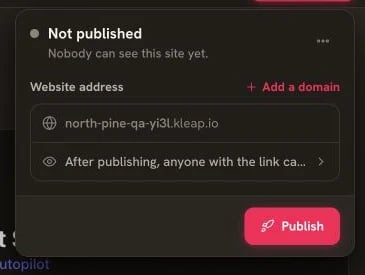
Deploy the reviewed SaaS from the Publish panel
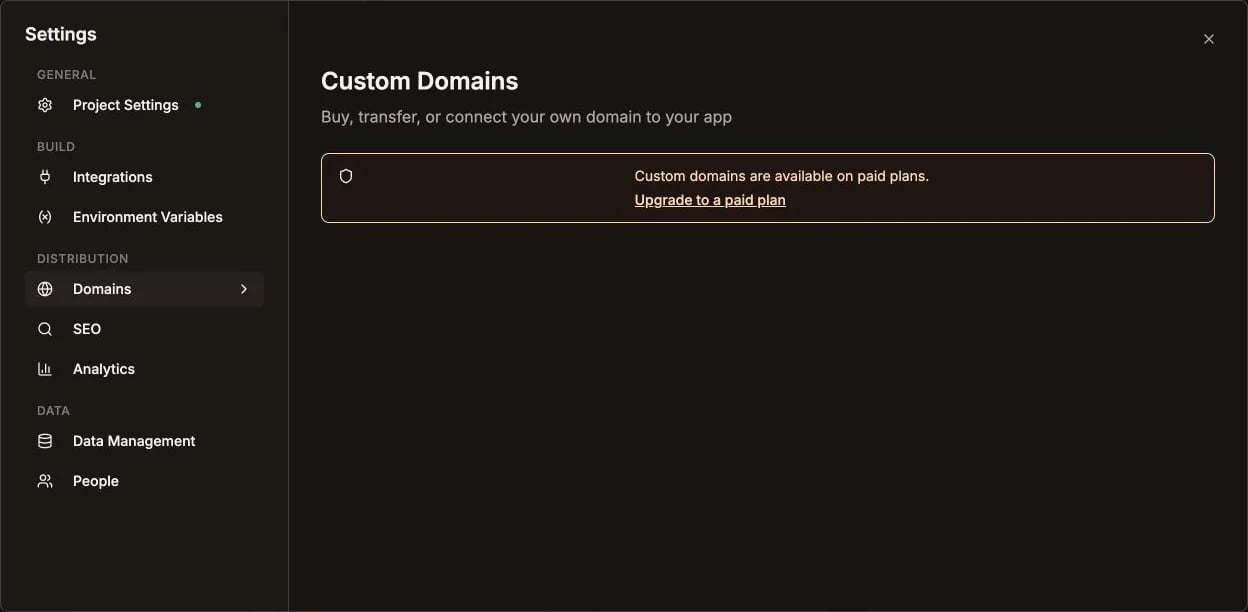
Manage the optional custom domain under Settings > Domains
Complete Prompts Summary
Here’s the key prompts in order:- Landing page customization
- Database schema creation
- Projects dashboard
- Project detail page with Kanban
- Task management features
- Team invitation system
- Stripe payment links for billing
- Polish and responsive design
Next Steps
After launch:- Add more features based on user feedback
- Set up analytics to track usage
- Create onboarding flow for new users
- Add email notifications
Stripe Integration
Detailed Stripe setup guide