

The video versions are not recorded yet. Everything below is written out in full in these docs, and each section links to the page that covers it. This page will gain the videos as they are published; until then nothing here is waiting on a video.
Getting Started
Building Your First App
Learn the basics of creating an app with Kleap:- Creating a new project
- Using the AI chat
- Working with the preview
- Publishing your app

The English builder toolbar used throughout the tutorials
Feature Deep Dives
AI Chat Masterclass
Learn how to write effective prompts:- Structuring your requests
- Iterating on designs
- Troubleshooting with AI
- Advanced techniques
Database Integration
Using Kleap Database (built in — no separate account):- Enabling the database for your app
- Creating tables
- Built-in accounts (email/password auth)
- Data privacy so each user only sees their own data
Template Walkthroughs
See how to use each template:- SaaS Template setup
- Portfolio customization
- Landing page creation
- E-commerce configuration
Project Tutorials
Build a SaaS in 30 Minutes
Complete walkthrough of building a SaaS:- Starting from template
- Customizing the dashboard
- Adding features
- Setting up payments
- Deploying
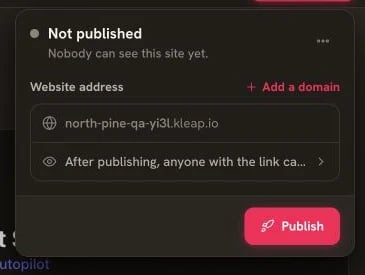
The final deployment action is shown in the Publish panel
Create a Portfolio Site
Build a professional portfolio:- Planning your content
- Designing the layout
- Adding projects
- Contact form setup
- Going live
E-commerce Store Setup
Full e-commerce tutorial:- Product catalog
- Shopping cart
- Checkout flow
- Order management
Tips & Tricks Videos
Speed Building Techniques
Learn to build faster:- Using element selection
- Effective prompting
- Keyboard shortcuts
- Template customization
Design Tips
Make your apps look professional:- Color schemes
- Typography
- Spacing and layout
- Mobile responsiveness
Performance Optimization
Build fast apps:- Image optimization
- Database queries
- Loading states
- Best practices
Ask for a Walkthrough
Stuck on something that is not covered above? Ask and it gets written:- The chat bubble on kleap.co
- Our Discord
- [email protected]
Video Resources
External Tutorials
Community-created content: Coming soon - Community tutorials will be featured hereRelated Channels
Learn the technologies Kleap uses:- Astro - Framework basics
- Tailwind CSS - Styling
- React islands - Interactivity
We’re actively creating video content. Check back regularly for new tutorials!
Written Tutorials
Prefer reading? Check out our written guides